What Is Workflow Automation Software? A Complete Guide(2026)
Discover what workflow automation software is, how it works, and why businesses need it. Learn about key features, benefits, and real-world applications.
Modern businesses face a critical challenge: managing an ever-growing number of applications, platforms, and processes. The average organization uses over 10 different tools for daily operations, from payment processing to email management, task tracking to calendar scheduling. This fragmentation creates inefficiencies, communication gaps, and wasted time that directly impact your bottom line.
"In today's digital landscape, businesses aren't lacking tools—they're drowning in them. The real challenge is making these tools work together seamlessly."
Workflow automation software emerged as the solution to this operational chaos. But what exactly is it, and how can it transform your business operations?
What You'll Learn in This Guide
In this comprehensive guide, we'll cover everything you need to know about workflow automation software:
- What workflow automation software is and how it fundamentally changes business operations
- How workflow automation works with triggers, actions, and integration layers
- Essential features to look for when evaluating solutions
- Measurable benefits including time savings, error reduction, and cost control
- Real-world use cases across different business types and industries
- How to choose the right workflow automation software for your needs
- Implementation strategies to get started without overwhelming your team
- The future of workflow automation with AI and machine learning
Whether you're a small business owner juggling multiple roles, an operations manager coordinating teams, or a startup founder seeking efficiency, this guide will help you understand how workflow automation can streamline your operations.
What Is Workflow Automation Software?
Workflow automation software is a technology solution that streamlines and automates repetitive business processes by connecting multiple applications, tools, and data sources into unified workflows. Instead of manually performing tasks across different platforms, workflow automation software handles these processes automatically based on predefined rules and triggers.
At its core, automated workflow software eliminates the need for constant app switching and manual data entry. It creates intelligent connections between your business tools, allowing information to flow seamlessly from one system to another without human intervention.
"Think of workflow automation as a digital conductor orchestrating all your business applications to work in harmony."
When a customer makes a purchase, workflow automation software can automatically update your CRM, send a confirmation email, create an invoice in your accounting system, and notify your fulfillment team—all without anyone lifting a finger.
How Does Workflow Automation Software Work?
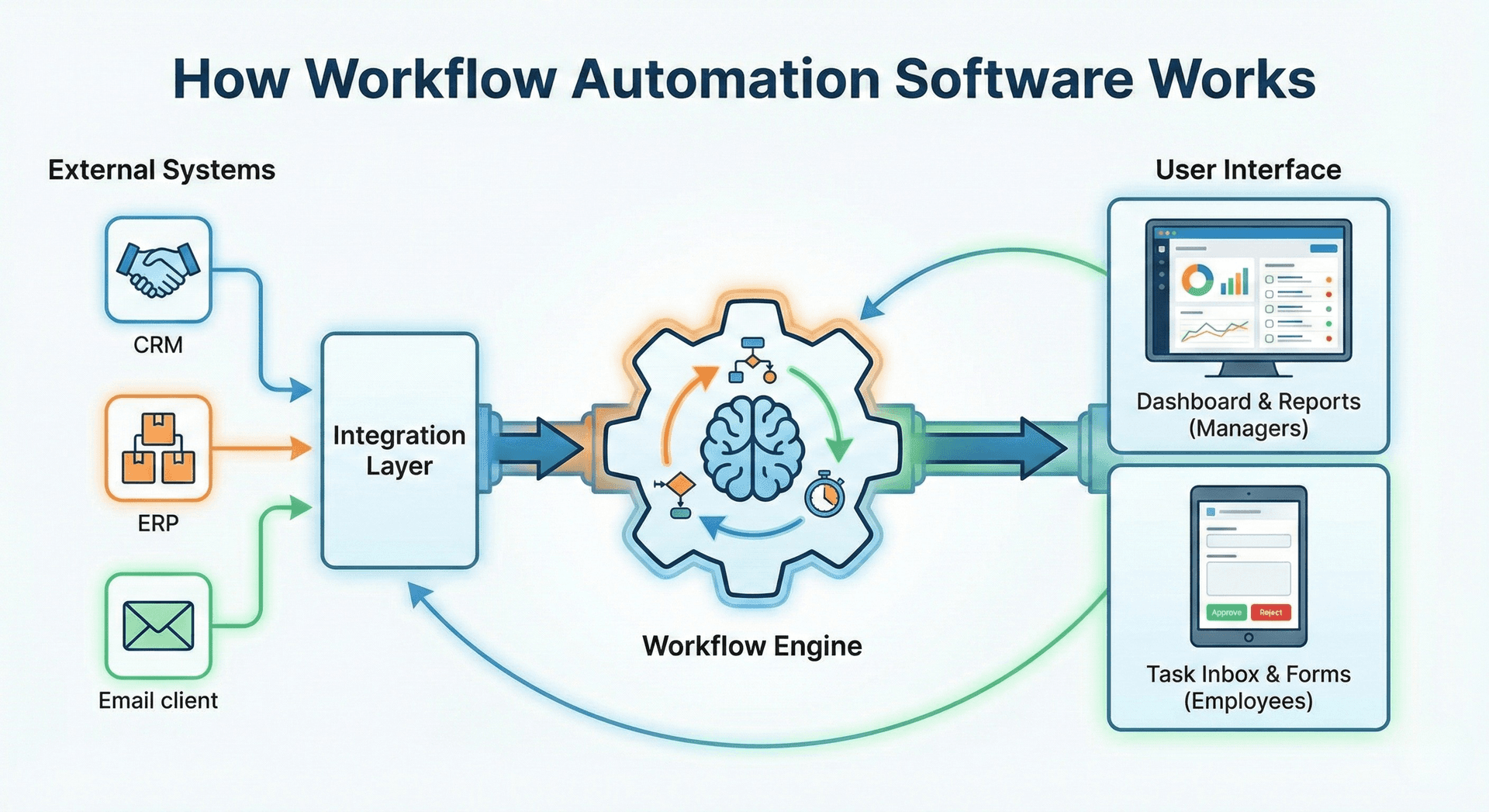
Workflow automation software operates on a simple principle: triggers and actions. When a specific event occurs in one application (the trigger), the software automatically executes predetermined tasks in other connected applications (the actions).
"The beauty of workflow automation lies in its simplicity: when this happens, do that—automatically, every time, without fail."
The process typically involves three key components:
Integration Layer
The software connects to your existing business tools through APIs (Application Programming Interfaces). These integrations allow different platforms to communicate and share data securely. Modern workflow automation software supports hundreds of integrations, including payment processors like Stripe, communication tools like Gmail, project management platforms like Asana, and marketing systems like Google Ads.
Workflow Engine
This is the brain of the operation. The workflow engine monitors for triggers, processes the rules you've set, and executes the appropriate actions. Advanced systems use conditional logic, allowing for complex workflows that adapt based on specific criteria.
User Interface
A unified dashboard serves as your command center, where you can visualize all connected applications, monitor automated workflows, and take manual actions when needed. The best workflow automation software provides real-time visibility into every process running across your business.
For example, CronDesk demonstrates this approach by creating a unified command center where businesses can manage Stripe payments, Gmail communications, Asana tasks, Google Calendar events, and marketing campaigns from a single interface. Instead of opening 10 different tabs, you see everything in one chronological timeline with quick action buttons for immediate responses.
Key Features of Workflow Automation Software
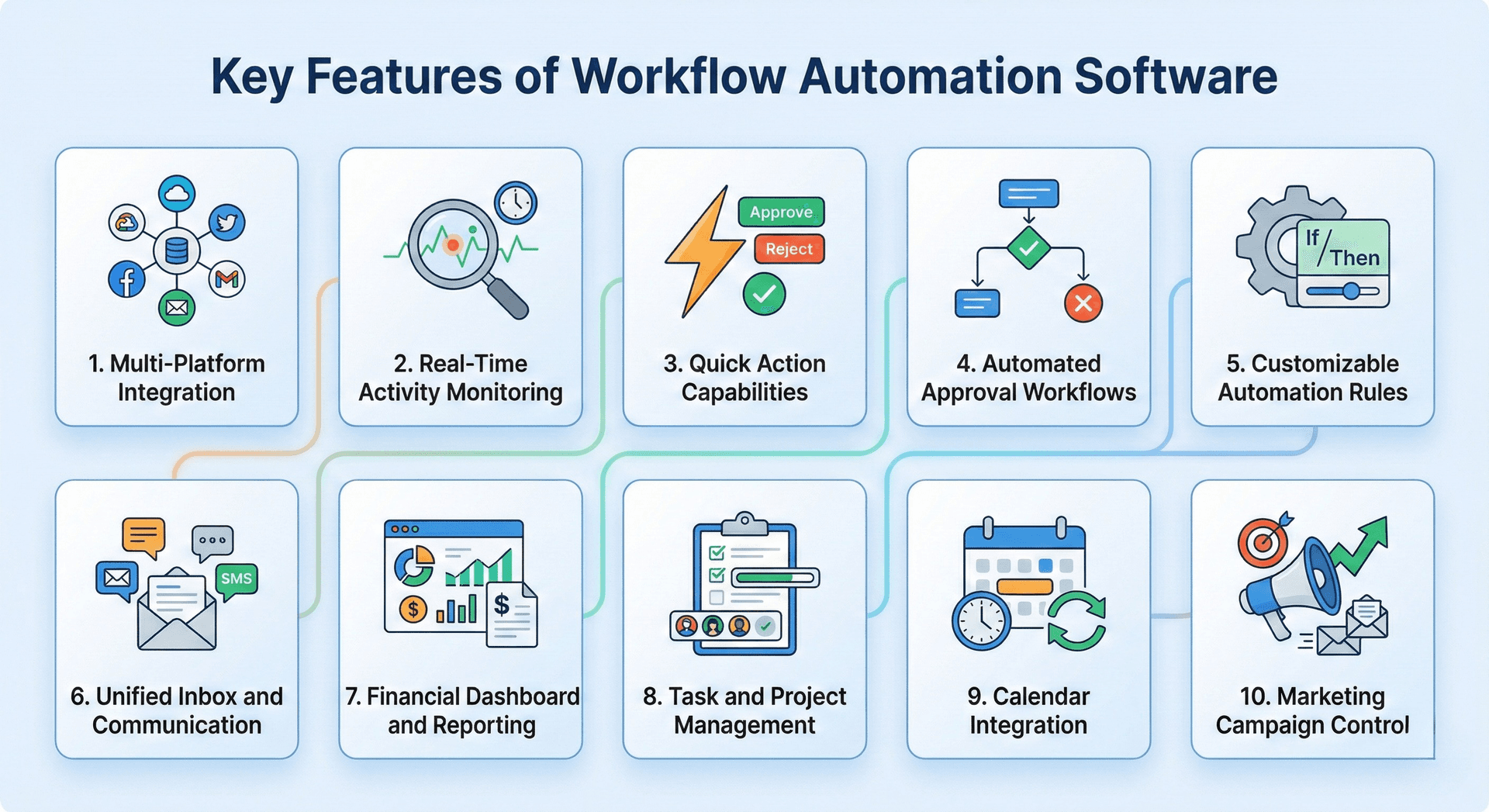
Understanding what makes workflow automation software effective helps you evaluate solutions for your business. Here are the essential features:
1. Multi-Platform Integration
The ability to connect with all your critical business tools is fundamental. Look for software that integrates with your payment processors, email platforms, CRM systems, accounting software, marketing tools, and project management applications.
2. Real-Time Activity Monitoring
A comprehensive activity feed shows you everything happening across your connected platforms in chronological order. This eliminates the need to check multiple dashboards to understand what's occurring in your business.
"When every business event appears in one timeline, nothing falls through the cracks. You gain the operational awareness that was previously impossible."
3. Quick Action Capabilities
Beyond just displaying information, effective workflow automation software enables immediate action. Process a refund, reply to an email, approve an invoice, or pause a marketing campaign directly from the main dashboard without switching applications.
4. Automated Approval Workflows
Create streamlined approval processes for invoices, payroll, contracts, and other business operations. One-click approvals eliminate lengthy email chains and speed up decision-making.
5. Customizable Automation Rules
Set up automatic workflows based on your specific business logic. When X happens, automatically do Y. The flexibility to customize these rules ensures the software adapts to your unique processes.
6. Unified Inbox and Communication
Consolidate emails, messages, and notifications from multiple platforms into a single inbox. Respond using templates and quick replies without leaving your workflow dashboard.
7. Financial Dashboard and Reporting
Track revenue, monitor transactions, view pending payouts, and access financial metrics in real-time. Integrated reporting eliminates the need to manually compile data from multiple sources.
8. Task and Project Management
Assign tasks, track progress, set deadlines, and collaborate with team members without switching to separate project management tools.
9. Calendar Integration
View, schedule, and manage appointments across your organization's calendars from within your workflow automation platform.
10. Marketing Campaign Control
Monitor and adjust advertising campaigns on platforms like Google Ads and Meta Ads, including budget management and performance tracking.
Benefits of Implementing Workflow Automation Software
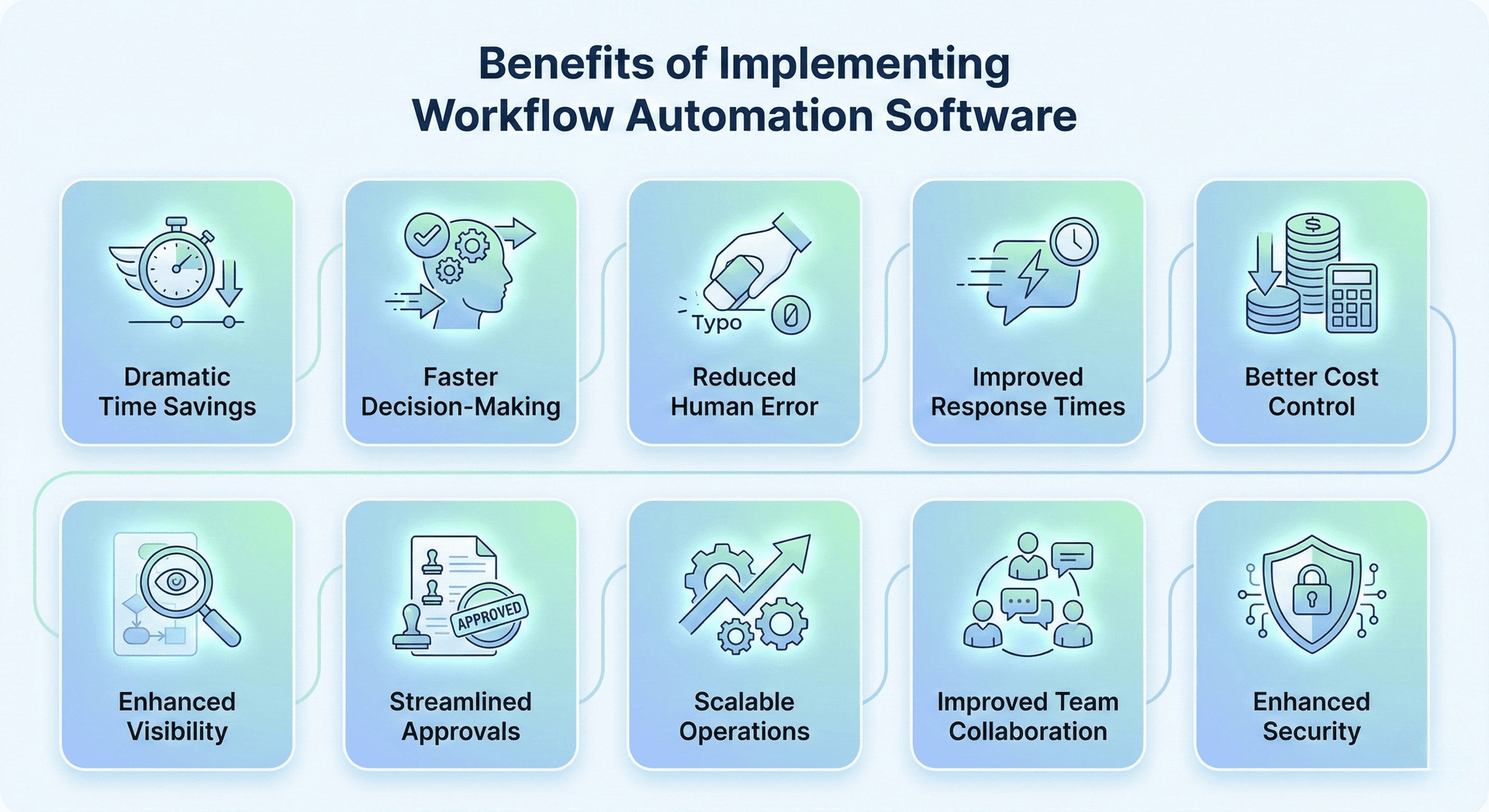
The advantages of workflow automation extend far beyond simple convenience. Businesses implementing these solutions report measurable improvements across multiple operational areas.
Dramatic Time Savings
By reducing app-switching by up to 80 percent, teams reclaim hours of productive time each week. What previously required navigating through multiple platforms now happens from a single dashboard.
"Time is the most valuable resource in business. Workflow automation doesn't just save minutes—it returns hours to your team every single day."
Faster Decision-Making
When all critical information appears in one place with immediate action capabilities, decisions that once took hours can happen in seconds. Approve an invoice, process a refund, or adjust marketing spend without delay.
Reduced Human Error
Automated workflows eliminate manual data entry between systems, dramatically reducing errors. Information flows directly from source to destination without transcription mistakes.
Improved Response Times
Customer inquiries, refund requests, and internal approvals receive faster responses when team members can act immediately without switching contexts.
Better Cost Control
Real-time visibility into marketing spend, operational costs, and financial metrics enables proactive budget management. Adjust campaigns and expenses before they exceed targets.
Enhanced Visibility
A chronological timeline of all business activities provides unprecedented oversight. Nothing falls through the cracks when every event from every platform appears in one feed.
Streamlined Approvals
Eliminate email chains for routine approvals. When invoices, payroll, and contracts appear in a unified approval queue, processing time drops from days to minutes.
Scalable Operations
As your business grows, adding new integrations and workflows doesn't create additional complexity. The centralized system scales efficiently without proportionally increasing operational overhead.
Improved Team Collaboration
When everyone works from the same unified interface, collaboration improves naturally. Task assignments, status updates, and communication happen in context.
Enhanced Security
Centralized authentication and comprehensive audit logging provide better security than juggling credentials across multiple platforms. Every action is tracked and attributable.
Real-World Use Cases for Workflow Automation Software
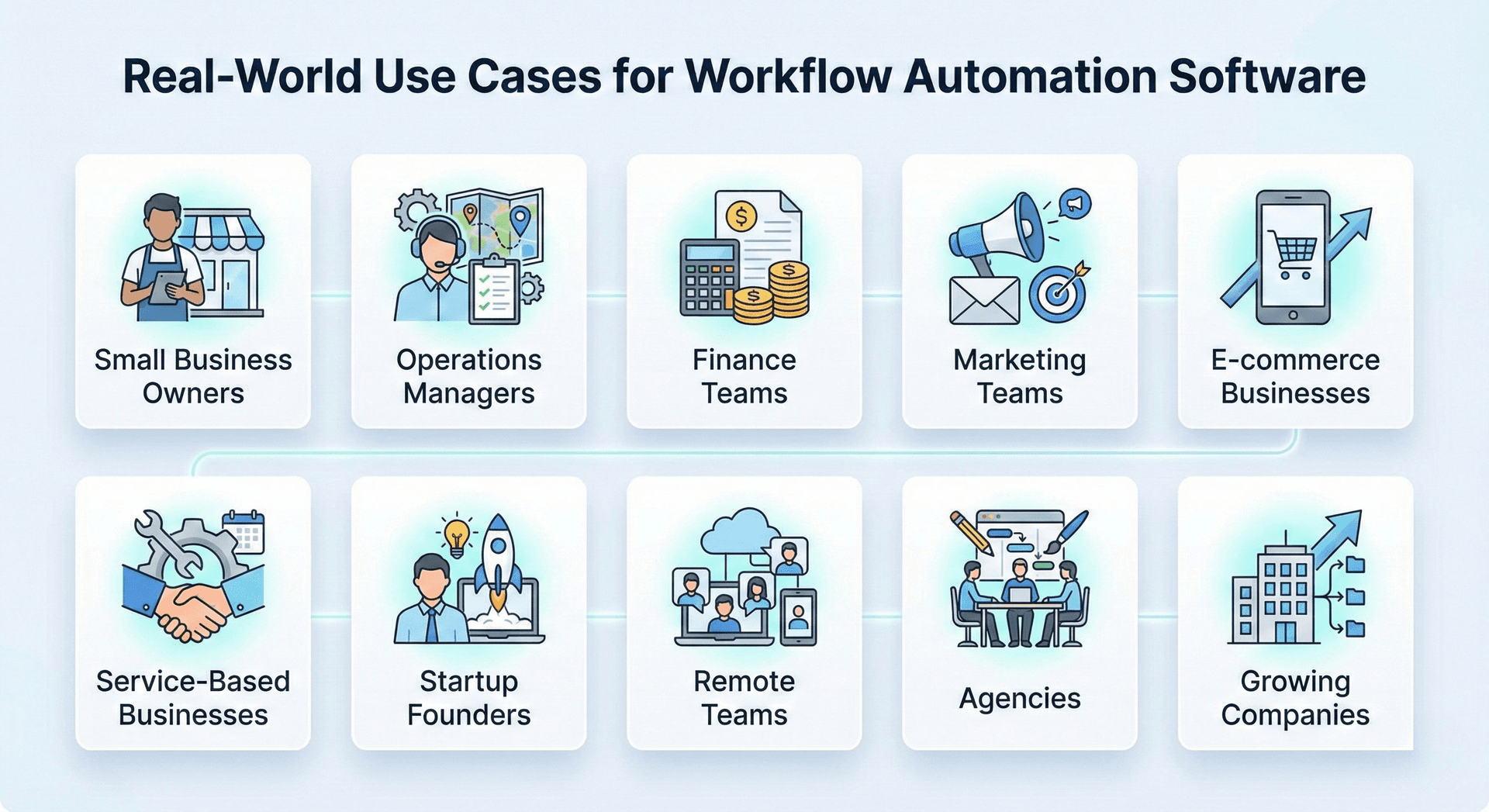
Different types of businesses leverage workflow automation in unique ways. Here's how various organizations benefit:
Small Business Owners
Solo entrepreneurs and small business owners wear many hats—finance, operations, customer service, and marketing. Workflow automation software consolidates these roles into a manageable interface. Instead of switching between Stripe for payments, Gmail for emails, QuickBooks for accounting, and Asana for tasks, everything happens in one place.
Operations Managers
Coordinating across departments requires visibility into multiple systems. Operations managers use workflow automation to oversee team tasks, approve expenses, monitor marketing campaigns, and handle support tickets from a unified dashboard.
Finance Teams
Processing refunds, creating invoices, approving payroll, and reconciling accounts traditionally requires working across payment processors, accounting software, and approval systems. Workflow automation brings these functions together, enabling finance teams to complete their work faster and more accurately.
"For finance teams, workflow automation transforms what used to be a day-long reconciliation process into a 30-minute task."
Marketing Teams
Managing campaigns across Google Ads, Meta Ads, email marketing, and analytics platforms becomes streamlined. Monitor performance, adjust budgets, pause underperforming campaigns, and track ROI in real-time from one interface.
E-commerce Businesses
Handling orders, processing payments, managing customer communications, and coordinating fulfillment involves multiple systems. Workflow automation software creates a seamless flow from order receipt through fulfillment and customer follow-up.
Service-Based Businesses
Professional services firms juggle appointment scheduling, project task tracking, client invoicing, and communication. Automating these workflows through an integrated calendar, task management, payment processing, and email systems improves efficiency dramatically.
Startup Founders
Early-stage companies need operational efficiency without large teams. Workflow automation software provides founders with comprehensive oversight across all business functions without requiring expertise in every individual tool.
"Startups don't fail from lack of good ideas—they fail from operational chaos. Workflow automation brings order to the chaos."
Remote Teams
Distributed teams benefit especially from centralized workflow automation. Task collaboration, approval workflows, and communication happen in one shared interface, reducing the context-switching that makes remote work challenging.
Agencies
Marketing and creative agencies managing multiple clients need to track campaigns, billable hours, invoices, and team deliverables. Workflow automation consolidates client management and internal operations.
Growing Companies
As organizations scale, maintaining operational efficiency becomes critical. Workflow automation software with approval workflows, team permissions, and enterprise integrations enables growth without proportional increases in administrative overhead.
Choosing the Right Workflow Automation Software
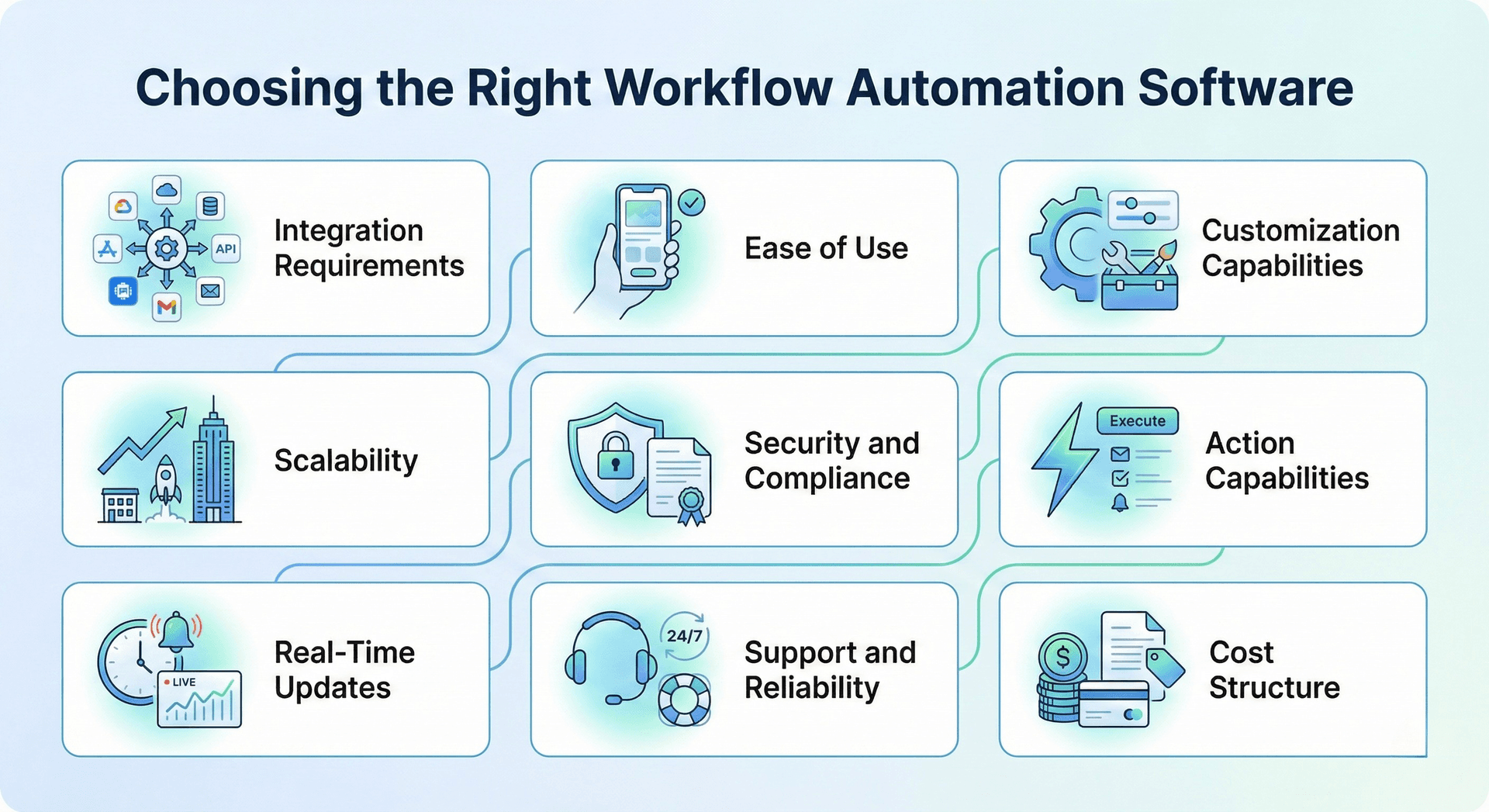
Selecting workflow automation software requires evaluating several factors specific to your business needs.
Integration Requirements
Start by listing every platform critical to your operations. Your workflow automation software must integrate with your payment processor, email system, CRM, accounting software, project management tools, and any industry-specific applications you rely on.
Ease of Use
Complex software defeats the purpose of streamlining operations. Look for intuitive interfaces that your team can adopt quickly without extensive training. The dashboard should present information clearly and make common actions easily accessible.
"The best workflow automation software is invisible—it just works, without requiring your team to become power users."
Customization Capabilities
Every business operates differently. Your workflow automation software should adapt to your processes rather than forcing you to change how you work. Evaluate whether you can customize workflows, automation rules, and dashboards to match your needs.
Scalability
Consider your growth trajectory. Can the software handle increased transaction volumes, additional team members, and more complex workflows as you expand? Check whether pricing scales reasonably with usage.
Security and Compliance
Financial data, customer information, and business operations demand robust security. Verify that the software provides enterprise-grade authentication and encryption, and complies with relevant regulations in your industry.
Action Capabilities
Viewing consolidated information is valuable, but the ability to take immediate action is transformative. Ensure the software enables you to execute critical operations directly from the main dashboard rather than just displaying data.
Real-Time Updates
Business moves fast. Your workflow automation software should reflect changes immediately across all connected platforms with live notifications and event streaming.
Support and Reliability
Operational software requires dependable uptime and responsive support. Research the vendor's track record for reliability and the quality of their customer service.
Cost Structure
Evaluate pricing models carefully. Consider not just the base subscription cost but also charges for additional users, integrations, or transaction volumes. Calculate the total cost against the time and efficiency gains you expect.
The Technology Behind Modern Workflow Automation
Understanding the technology stack powering workflow automation software helps you appreciate its capabilities and reliability.
Modern platforms are built on robust foundations, including cloud infrastructure, real-time databases, and secure authentication systems. They leverage APIs to connect with external services, webhooks for instant event processing, and OAuth 2.0 for secure third-party integrations.
The best workflow automation software employs server-side rendering for fast performance, real-time collaboration features for team coordination, and comprehensive error tracking for reliability. Security measures include rate limiting, encryption, and detailed audit logging.
For instance, platforms like CronDesk utilize Next.js for the frontend, PostgreSQL for data storage, Clerk for authentication, and Liveblocks for real-time collaboration. This technology stack ensures fast performance, security, and scalability while supporting integrations with Stripe, Gmail, Asana, Google Calendar, QuickBooks, HubSpot, Salesforce, and advertising platforms.
Getting Started With Workflow Automation
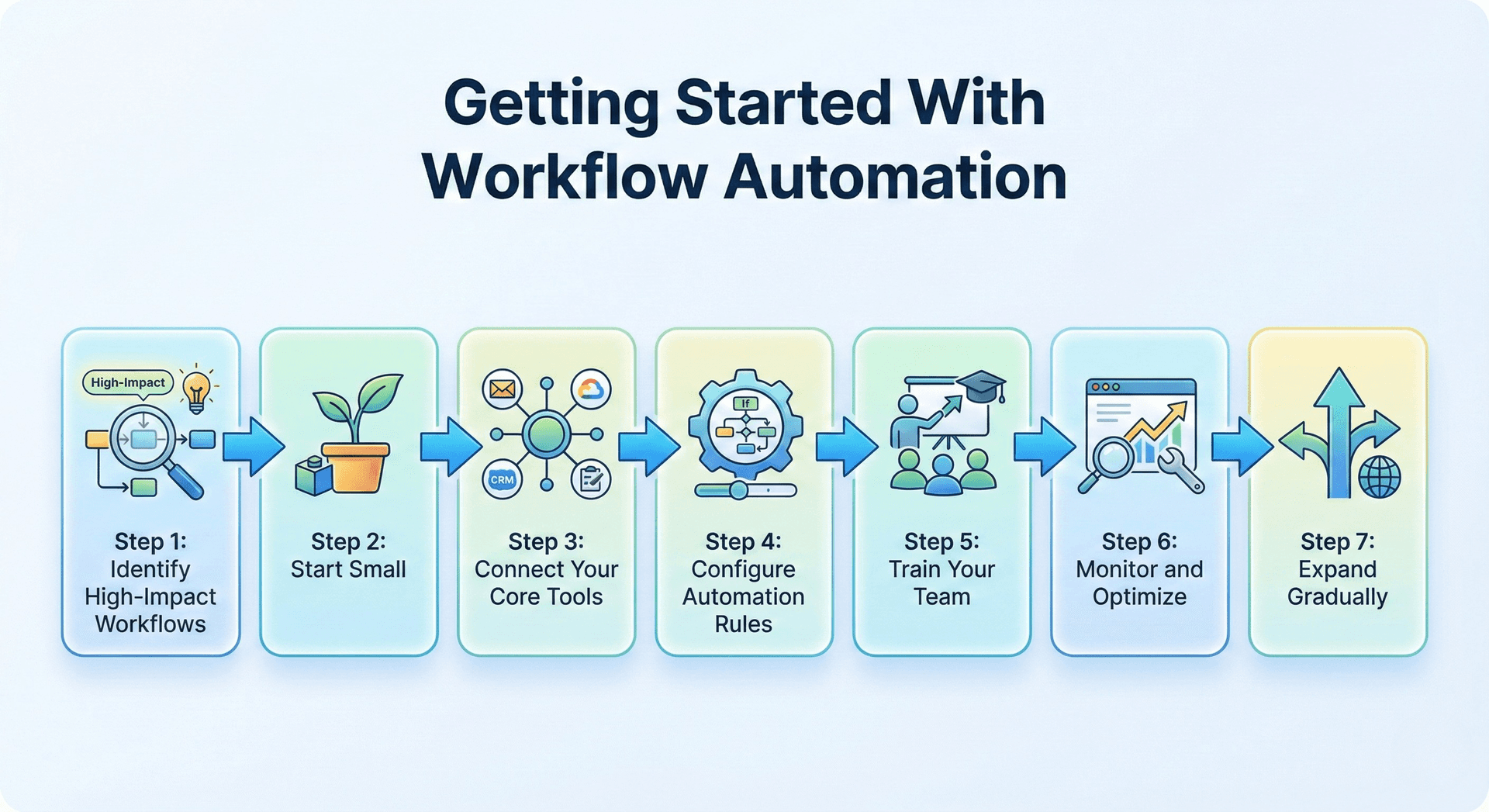
Implementing workflow automation software doesn't require a complete operational overhaul. Start with a strategic approach:
Step 1: Identify High-Impact Workflows
Begin by mapping your most time-consuming or error-prone processes. Which tasks require switching between multiple applications? Where do delays frequently occur? These become your priority workflows to automate.
"Start where the pain is greatest. Automate the workflows that currently cause the most friction, and the ROI becomes immediately visible."
Step 2: Start Small
Rather than attempting to automate everything immediately, begin with two or three critical workflows. This allows your team to learn the system and demonstrate value quickly.
Step 3: Connect Your Core Tools
Integrate your most essential business applications first—typically your payment processor, email system, and primary project management or CRM platform.
Step 4: Configure Automation Rules
Set up basic automation for routine tasks like customer confirmations, invoice creation, or task assignments. As you become comfortable, expand to more complex workflows.
Step 5: Train Your Team
Ensure everyone understands how to use the unified dashboard, where to find information, and how to execute common actions. Provide documentation and hands-on practice time.
Step 6: Monitor and Optimize
Track which automated workflows deliver the most value. Refine automation rules based on real usage patterns and feedback from your team.
Step 7: Expand Gradually
As you see benefits, progressively add more integrations, automate additional workflows, and extend usage to other team members or departments.
The Future of Workflow Automation
Workflow automation software continues evolving rapidly. Artificial intelligence and machine learning are increasingly incorporated to provide predictive analytics, anomaly detection, and intelligent recommendations.
Future developments will likely include more sophisticated natural language interfaces, allowing users to create workflows through conversational commands. Enhanced AI will automatically suggest workflow optimizations based on usage patterns and identify inefficiencies you might not notice.
"The next generation of workflow automation won't just execute your instructions—it will anticipate your needs and proactively suggest improvements."
Integration capabilities will expand as more business tools provide robust APIs. The trend toward all-in-one business operations platforms will accelerate, with workflow automation software serving as the connective tissue binding disparate systems together.
Real-time collaboration features will become more advanced, enabling seamless teamwork within automated workflows. Security and compliance features will strengthen in response to evolving regulatory requirements and cyber threats.
Making the Decision
Workflow automation software represents a significant shift in how businesses manage operations. The transition from working in isolated applications to a unified command center requires adjustment, but the benefits—time savings, reduced errors, faster decisions, better visibility—make it worthwhile for most organizations.
If your team regularly switches between multiple applications, struggles with delayed approvals, misses tasks that fall between platforms, or lacks clear visibility into operational status, workflow automation software addresses these challenges directly.
"The cost of workflow automation is measured in dollars per month. The cost of NOT automating is measured in hours lost per day, multiplied across your entire team."
Consider starting with a trial or demo to experience how unified workflow management feels. Many businesses report that once team members experience working from a single dashboard with immediate action capabilities, returning to fragmented multi-app workflows becomes unthinkable.
The question isn't whether workflow automation makes sense for your business, but rather when you'll implement it and how much longer you'll tolerate operational inefficiency.
Experience Unified Workflow Management with CronDesk
If you're ready to see what workflow automation looks like in practice, CronDesk offers a straightforward solution for businesses tired of juggling multiple platforms. Built specifically to unify payments, emails, tasks, calendar, and approvals in one dashboard, it connects with the tools you already use—Stripe, Gmail, Asana, Google Calendar, and more.
What makes CronDesk different is its focus on action, not just aggregation. Every piece of information comes with contextual actions, so you can process a refund, reply to an email, or approve an invoice in seconds without switching apps.
Whether you're a small business owner managing everything yourself, an operations manager coordinating multiple teams, or a growing startup seeking efficiency without complexity, CronDesk is designed to reduce the operational friction that slows businesses down.
Try the demo to see how unified workflow management feels, or explore how it might fit into your current operations. No pressure, no lengthy sales process—just a practical tool built to solve the real problem of app overload.
Blueprint, our free scoping tool
Find out what to build next, in about two minutes
Answer a few questions about where your business is today, and Blueprint drafts a recommendation for you: what to build, what to automate, and what a first phase usually costs. It is free, and you can read the result without giving us an email address.