What Is Operations Management Software? (Complete Guide 2026)
Stop the app-switching chaos. Learn how operations management software unifies your tools, automates workflows, and acts as your business command center.
What We Will Learn
In this comprehensive guide, you'll discover everything you need to know about operations management software and how it transforms business efficiency:
- What operations management software is and how it differs from traditional business tools
- The core components and capabilities of business operations management software
- Key benefits of implementing operations automation in your organization
- Essential features to look for in the best operations management software
- Different types of operations software and their specific applications
- How business operations automation streamlines daily workflows
- Real-world use cases across various industries and business sizes
- Step-by-step guidance for selecting and implementing the right solution
- Best practices for maximizing ROI from your operations platform
By the end of this guide, you'll understand exactly how software to manage business operations can eliminate chaos, accelerate growth, and give you back control of your business day.
What Is Operations Management Software?
Managing a growing business without the right systems feels like conducting an orchestra while blindfolded. Each department operates independently, information gets lost between applications, and simple tasks require switching between a dozen different tools.
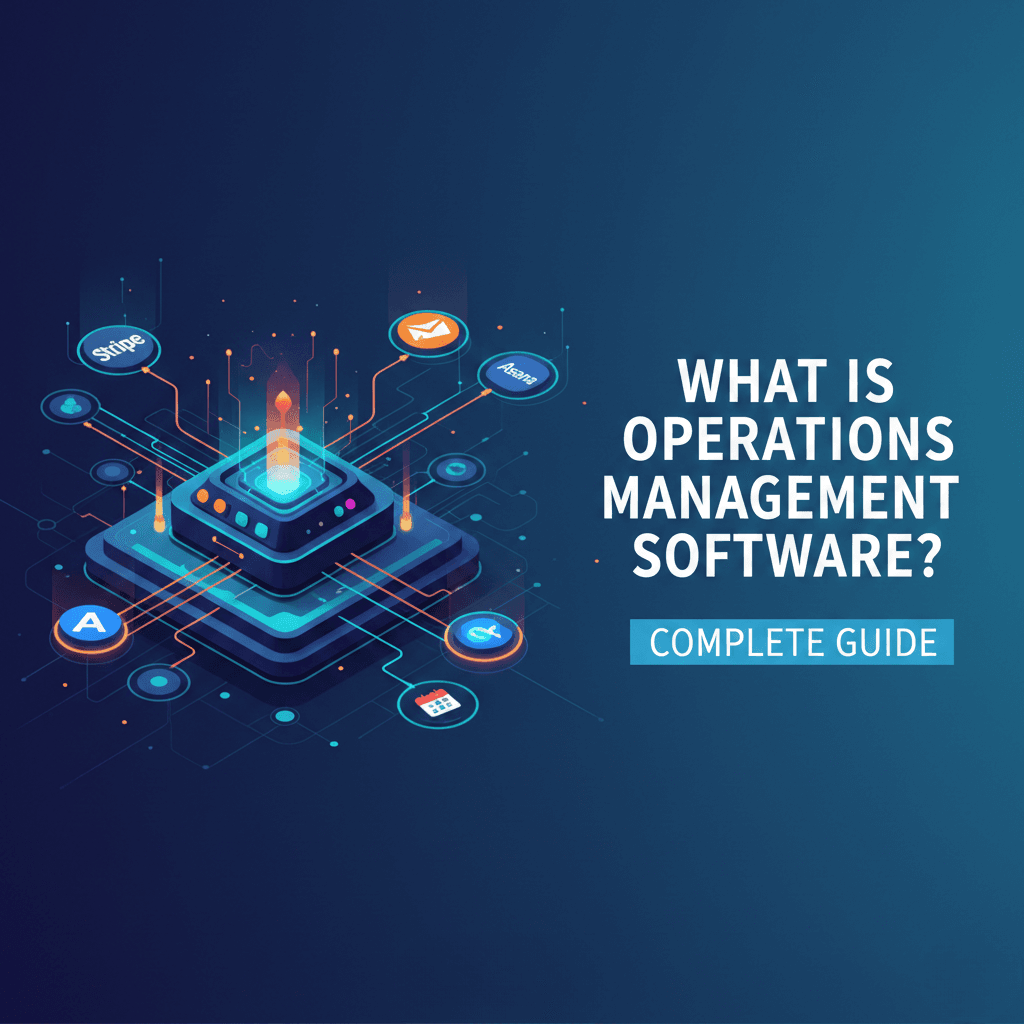
If you've ever felt overwhelmed juggling Stripe payments, Gmail conversations, Asana tasks, and Google Calendar appointments across separate tabs, you're experiencing the exact problem that operations management software was designed to solve.
Modern businesses rely on an average of 10 to 15 different platforms just to handle daily operations. This constant app-switching doesn't just waste time—it creates information silos, slows decision-making, and increases the likelihood of errors slipping through the cracks.
Operations management software changes this narrative by unifying your essential business tools into a single, centralized command center where you can monitor activities, take immediate action, and maintain complete visibility across all operational functions.
Understanding Operations Management Software
Operations management software serves as the central nervous system of your business, connecting disparate tools, coordinating cross-functional processes, and optimizing the workflows that drive daily execution.
Unlike project management tools that focus on temporary initiatives with defined endpoints, business operations management software is specifically designed for recurring, ongoing processes that form the backbone of your organization. It's the difference between managing a single product launch versus managing your entire order fulfillment, customer support, and financial approval workflows indefinitely.
| Aspect | Project Management Software | Operations Management Software |
| Focus | Temporary initiatives with defined end dates | Ongoing, recurring business processes |
| Timeline | Project-based (weeks to months) | Continuous, indefinite operations |
| Primary Use | Task tracking, milestones, deliverables | Workflow automation, integrations, monitoring |
| Key Features | Gantt charts, dependencies, sprints | Real-time dashboards, approval workflows, automation |
| Best For | Product launches, campaigns, initiatives | Payment processing, customer support, daily operations |
What Makes Operations Software Different
Traditional business software typically serves a single function—your CRM manages contacts, your accounting software tracks finances, and your task manager organizes to-dos. Each tool excels at its specific job but exists in isolation.
Operations management software takes a fundamentally different approach by creating a unified layer that sits above these individual tools. Instead of replacing your existing applications, it integrates them into a cohesive ecosystem where information flows automatically, and actions can be taken without switching contexts.
"The average employee switches between apps and websites nearly 1,200 times per day, which amounts to about four hours per week of lost productivity."
This fragmentation isn't just inefficient—it's unsustainable as businesses scale. Service operations management software addresses this by providing a single interface where teams can access everything they need without the cognitive overhead of remembering which tool contains which information.
From Manual Processes to Automated Workflows
The evolution from manual to automated operations reflects a fundamental shift in how modern businesses function. Organizations that once relied on email chains for approvals, spreadsheets for tracking, and memory for follow-ups now leverage business process automation software to handle these activities systematically.
Recent research indicates that manual data processes hinder growth for 85% of organizations, creating bottlenecks that prevent businesses from scaling effectively. Progressive companies recognize that automation isn't just about efficiency—it's about creating the operational foundation necessary for sustainable growth.
Core Benefits of Operations Management Software
Implementing the right operations platform delivers measurable improvements across every aspect of your business.
Enhanced Operational Efficiency
Business operations automation eliminates the repetitive manual tasks that consume disproportionate amounts of employee time. By automating routine processes like data entry, approval routing, status notifications, and report generation, your team redirects energy toward strategic initiatives that actually move the business forward.
Organizations using comprehensive operations management software report reducing app-switching by up to 80%, which translates directly into productivity gains. When employees can process a Stripe refund, respond to a customer email, and reschedule a meeting without leaving their dashboard, those saved minutes compound into hours of reclaimed productive time each week.
Faster, More Informed Decision-Making
Real-time visibility into business operations enables immediate action rather than delayed reactions. The best operations management software provides comprehensive dashboards that surface critical information at exactly the moment it's needed, allowing managers to identify issues and opportunities instantly.
Instead of waiting for end-of-week reports or manually compiling data from multiple sources, decision-makers view current operational status and execute responses within seconds. When you can see a spike in support tickets, an unusual refund pattern, or a marketing campaign exceeding budget limits in real-time, you can course-correct before small issues become expensive problems.
Reduced Errors and Increased Accuracy
Manual data entry and fragmented processes inevitably produce human errors. Workflow automation software eliminates these mistakes by enforcing standardized workflows and automatically validating inputs at every step.
A centralized view prevents the classic operational failures: missed follow-ups, forgotten tasks, duplicate work, and communication breakdowns. This consistency becomes particularly crucial for compliance-sensitive industries where documentation gaps or process deviations carry serious consequences.
Improved Resource Allocation
Understanding how resources are utilized across your organization becomes straightforward when all operational data exists in one place. Software to manage business operations provides transparency into team workloads, project timelines, capacity constraints, and performance metrics.
This visibility enables managers to:
- Distribute work more effectively across available team members
- Identify bottlenecks before they escalate into critical issues
- Ensure high-priority initiatives receive appropriate resources
- Make data-driven hiring decisions based on actual capacity analysis
- Optimize processes by identifying time-consuming activities
Measurable Cost Reduction
While implementing operations management software requires upfront investment, organizations consistently report substantial long-term savings across multiple dimensions:
- Time savings - Reduced administrative work, faster approvals, and automated reporting
- Error reduction - Eliminating costly mistakes and their downstream consequences
- Training efficiency - Intuitive interfaces requiring less onboarding time
- Software consolidation - Reducing redundant tool licenses and maintenance costs
- Overtime reduction - Improved efficiency and better workload management
According to recent industry data, businesses implementing comprehensive business operations automation see an average ROI of 200-400% within the first year, primarily through time savings and error reduction.
Essential Features of Modern Operations Management Software
When evaluating different platforms, certain capabilities separate truly transformative solutions from basic tools.
Comprehensive Integration Ecosystem
Your operations software must connect seamlessly with the tools already powering your business. Look for platforms offering native integrations with popular services across multiple categories:
| Category | Essential Integrations | Purpose |
| Financial | Stripe, PayPal, QuickBooks, Xero | Payment processing, invoicing, accounting |
| Communication | Gmail, Outlook, Slack | Email management, team messaging, notifications |
| Productivity | Google Workspace, Microsoft 365 | Calendar, documents, collaboration |
| Task Management | Asana, Monday.com, Trello, ClickUp | Project tracking, team coordination |
| CRM | Salesforce, HubSpot, Pipedrive | Customer relationships, sales pipeline |
| Marketing | Google Ads, Meta Ads, Mailchimp | Campaign management, advertising, email marketing |
| Support | Zendesk, Intercom, Freshdesk | Customer service, ticketing, live chat |
The goal is to create a unified ecosystem where data flows automatically between applications without manual export-import cycles or duplicate data entry.
Intelligent Workflow Automation
Workflow automation software should enable you to create sophisticated rule-based processes that execute without manual intervention. The best platforms provide visual workflow builders with drag-and-drop functionality, making automation accessible to non-technical users.
Look for capabilities including:
- Conditional logic that routes actions based on specific criteria
- Automated triggers that initiate workflows when certain events occur
- Multi-step sequences that coordinate complex processes across multiple tools
- Approval workflows with escalation paths and deadline enforcement
- Exception handling that alerts humans when automated processes encounter issues
For example, when a customer submits a refund request, the system should automatically create a ticket, notify the appropriate team member, log the interaction in your CRM, and, if approved, process the refund in Stripe—all without manual intervention at any step.
Real-Time Command Center
The heart of effective business operations management software is a centralized dashboard that aggregates all business events into a single, actionable timeline. This "command feed" concept transforms how teams stay informed and respond to operational needs.
Key dashboard capabilities include:
Chronological activity feed showing every important event across integrated platforms.
Contextual quick actions enable immediate response without switching tools.
Priority-based grouping that surfaces urgent items requiring attention.
Customizable views tailored to different roles and responsibilities.
Real-time updates reflect changes instantly across all users.
Rather than checking Stripe for payments, Gmail for emails, and Asana for tasks separately, everything appears in one prioritized timeline with action buttons for instant responses.
Advanced Analytics and Reporting
Transforming raw operational data into actionable insights requires robust analytics capabilities. Service operations management software should provide:
- Customizable dashboards displaying KPIs relevant to specific roles
- Revenue tracking with real-time transaction monitoring and trend analysis
- Performance metrics showing team productivity and operational efficiency
- Automated report generation with scheduled distribution to stakeholders
- Drill-down analysis for investigating trends and anomalies
- Export functionality for presentations and external analysis
The difference between good analytics and great analytics is context. The best platforms don't just show you numbers—they highlight what's changed, why it matters, and what actions you should consider.
Task and Project Management
While operations management differs from pure project management, effective platforms include robust task coordination capabilities. Teams need to create, assign, and monitor tasks within the context of larger operational workflows.
Essential task management features:
- Quick task creation directly from emails, payments, or calendar events
- Assignment and delegation with clear ownership and accountability
- Priority levels and due dates ensure critical items receive attention
- Progress tracking with status updates and completion verification
- Dependency management coordinates related tasks across teams
- Comment threads enabling collaboration without email chains
Approval and Permission Systems
Growing businesses require structured approval workflows for invoices, payroll, contracts, and major decisions. Business process automation software should provide flexible approval systems with:
- One-click approval interfaces - For quick decision-making
- Multi-level approval chains - For complex authorization requirements
- Delegation capabilities - When approvers are unavailable
- Audit trails - Documenting who approved what and when
- Conditional routing - Sending requests to appropriate approvers based on amount, type, or department
Security and Access Control
Centralizing business operations requires enterprise-grade security measures:
- Role-based access control limits data visibility to appropriate users
- Two-factor authentication protects account access
- Audit logging tracks all actions for compliance and security review
- Data encryption protects information in transit and at rest
- Compliance certifications meeting industry-specific regulatory requirements
Types of Operations Management Software
Different businesses have varying operational needs, leading to specialized categories within the broader operations management landscape.
| Software Type | Best For | Key Strengths | Typical Users |
| All-in-One Platforms | Simplicity over specialization | Unified interface, minimal tech stack | Small to medium businesses, startups |
| Industry-Specific | Niche operational needs | Tailored workflows, compliance features | Healthcare, retail, manufacturing, services |
| Departmental Tools | Specialized team functions | Deep functionality for specific areas | Sales ops, finance ops, HR ops, marketing ops |
| Integration-Focused | Existing tool ecosystems | Preserves current investments, unified layer | Businesses with established platforms |
All-in-One Operations Platforms
These comprehensive solutions aim to handle multiple operational functions through a single platform or tightly integrated suite. They work best for businesses wanting to minimize their technology stack and prefer unified interfaces over best-of-breed point solutions.
Ideal for: Small to medium businesses, startups, companies prioritizing simplicity over specialized functionality
Industry-Specific Operations Software
Certain sectors have unique operational requirements that generic platforms can't adequately address. Industry-specific solutions provide tailored workflows, compliance features, and integrations relevant to particular markets.
- Retail and e-commerce operations software - Focuses on inventory management, order fulfillment, and customer service workflows
- Healthcare operations platforms - Emphasize patient scheduling, compliance documentation, and clinical workflow optimization
- Manufacturing operations systems - Prioritize production scheduling, quality control, and supply chain coordination
- Service business software - Streamlines client onboarding, project delivery, and billing processes
Departmental Operations Tools
Some organizations prefer specialized software for specific departments rather than enterprise-wide platforms:
- Sales operations - Tools optimize pipeline management, quote generation, and customer acquisition workflows
- Financial operations - Software handles accounts payable/receivable, reconciliation, and financial planning
- Marketing operations - Platforms coordinate campaign execution, budget management, and performance tracking
- HR operations - Systems manage recruitment, onboarding, payroll, and employee lifecycle processes
Integration-Focused Command Centers
A newer category of software to manage business operations takes a different approach—rather than replacing existing tools, these platforms create a unified layer that connects and coordinates your current technology stack.
This approach preserves your investment in specialized tools while solving the fragmentation problem. You keep using Stripe for payments, Asana for tasks, and Gmail for email, but manage everything through a single dashboard that brings it all together.
Ideal for: Businesses with established tool ecosystems, teams resistant to changing familiar platforms, organizations needing best-of-breed solutions in each category
Real-World Use Cases Across Industries
Understanding how different organizations leverage operations management software illustrates its versatile value.
Small Business Owners
Solo entrepreneurs and small business owners typically wear multiple hats—founder, marketer, customer service representative, and accountant, often rolled into one person. Business operations management software becomes essential for managing this complexity without expanding headcount.
A small e-commerce business owner can manage Shopify orders, process Stripe payments, respond to customer emails, schedule social media posts, and track expenses through QuickBooks—all from a single dashboard. What previously required constant tab-switching and mental context-shifting becomes a streamlined workflow manageable in a fraction of the time.
Operations Managers
Operations managers coordinate activities across multiple departments and need comprehensive visibility into organizational activities. Service operations management software enables them to:
- Monitor team tasks and workload distribution across departments
- Approve expense reports and invoices without email chains
- Track marketing campaign performance and adjust budgets in real-time
- Handle customer support escalations with full context
- Identify operational bottlenecks through analytics dashboards
Finance and Accounting Teams
Financial operations involve numerous repetitive processes perfect for automation. Teams using business operations automation can:
- Process refunds directly from transaction dashboards without logging into payment processors
- Create and send invoices with automated follow-up sequences
- Approve payroll submissions with one-click workflows
- Reconcile accounts using automated data sync with QuickBooks or Xero
- Generate financial reports pulling live data from integrated systems
Marketing Teams
Marketing operations require coordinating campaigns across multiple platforms while maintaining budget control. Workflow automation software enables marketing teams to:
- Monitor ad performance on Google Ads and Meta Ads simultaneously
- Adjust campaign budgets and pause underperforming ads instantly
- Track ROI across channels from a unified dashboard
- Coordinate content calendars with automated task assignment
- Generate performance reports combining data from multiple platforms
Remote and Distributed Teams
Remote work amplifies communication challenges and makes operational visibility more critical. Operations platforms help distributed teams:
- Maintain shared context across time zones through centralized activity feeds
- Coordinate asynchronously using task management with clear ownership
- Approve workflows without requiring simultaneous availability
- Integrate with Slack for real-time notifications and collaboration
- Track progress transparently, reducing the need for status update meetings
Growing Startups and Scale-Ups
Rapidly growing companies face a unique challenge—operational complexity increases faster than headcount. Business process automation software enables startups to scale efficiently by:
- Standardizing workflows before they become chaotic at larger scale
- Creating approval systems that maintain control without bottlenecking
- Providing visibility that reduces management overhead
- Onboarding new team members faster with intuitive, centralized systems
- Maintaining founder-level awareness as the team expands beyond direct oversight
How to Choose the Right Operations Management Software
Selecting the optimal platform requires evaluating both current needs and future growth trajectory.
Assess Your Current Pain Points
Start by documenting specific operational frustrations your team experiences regularly:
- Which processes consume disproportionate time relative to their value?
- Where do errors most frequently occur, and what are their consequences?
- What information do decision-makers wish they could access instantly but currently can't?
- Which tool-switching patterns waste the most time daily?
- What approvals or coordination slow down execution unnecessarily?
Understanding these pain points helps you prioritize features and evaluate whether a platform actually solves your real problems versus just offering impressive-sounding capabilities you won't use.
Evaluate Integration Requirements
List every tool your team depends on and verify that potential operations platforms offer robust integrations. Consider:
- Critical integrations - Non-negotiable for basic functionality
- Important integrations - Significantly improve efficiency if available
- Nice-to-have integrations - Would add value but aren't essential
Remember that the best operations management software for your business is the one that works seamlessly with your existing technology stack, not the one with the longest feature list.
Consider User Adoption Factors
Even the most powerful platform fails if your team won't use it. Evaluate:
- Interface intuitiveness - Can team members accomplish tasks without extensive training?
- Mobile accessibility - Do users need access outside traditional desktop environments?
- Learning curve - How quickly can new employees become productive?
- Customization options - Can the platform adapt to your workflows rather than forcing you to change?
Analyze Total Cost of Ownership
Look beyond subscription pricing to understand true costs:
- Direct costs - Monthly or annual subscription fees, user licenses, integration add-ons
- Implementation costs - Setup time, data migration, workflow configuration
- Training costs - Time spent onboarding team members and creating documentation
- Opportunity costs - Productivity loss during the transition period
Compare these against expected benefits:
- Time savings - Hours reclaimed from reduced app-switching and automation
- Error reduction - Costs avoided through improved accuracy and consistency
- Tool consolidation - Savings from eliminating redundant software licenses
- Scalability - Ability to grow without proportional increases in operational overhead
Test with Real Workflows
Before committing, conduct thorough testing using actual business scenarios:
- Map critical workflows in the platform and verify they work smoothly
- Have different team members test the interface and gather feedback
- Evaluate how the platform handles edge cases and exceptions
- Assess the quality and responsiveness of customer support
- Review documentation and community resources for troubleshooting
Most platforms offer free trials or demo environments—use them extensively to validate assumptions before making financial commitments.
Implementation Best Practices
Successfully deploying operations management software requires thoughtful planning and execution.
Start with a Phased Rollout
Rather than attempting to automate everything simultaneously, begin with high-impact, low-complexity processes.
| Phase | Timeline | Activities | Expected Outcomes |
| Phase 1: Foundation | Week 1-2 | Platform setup, basic integrations, team access | Core systems connected, users logged in |
| Phase 2: Quick Wins | Week 3-4 | Automate 2-3 high-impact workflows | Measurable time savings, team buy-in |
| Phase 3: Expansion | Month 2-3 | Add more integrations, complex workflows | Broader operational coverage |
| Phase 4: Optimization | Month 4+ | Refine processes, advanced features | Maximum efficiency, full adoption |
This approach:
- Generates quick wins that build team confidence and buy-in
- Allows you to learn the platform thoroughly before tackling complex workflows
- Minimizes disruption by maintaining existing processes as fallbacks
- Provides early feedback for optimizing configuration before full deployment
Document Current Processes First
Before automating, document existing workflows in detail. This exercise often reveals inefficiencies that shouldn't be automated but rather redesigned. Ask:
- Why do we do this step?
- What value does this process create?
- Are there manual workarounds we've normalized that automation could eliminate?
- Which steps exist only because we lack better tools?
Invest in Proper Training
Comprehensive training accelerates adoption and maximizes ROI:
- Role-specific training - Focusing on features relevant to each team member's responsibilities
- Workflow workshops - Demonstrating how the platform improves daily tasks
- Power user development - Creating internal champions who can assist colleagues
- Ongoing education - As new features are released and use cases evolve
Monitor Adoption and Gather Feedback
Track usage metrics to identify adoption patterns:
- Which features get used heavily versus ignored?
- Who embraces the platform versus resisting change?
- What workflows generate confusion or support requests?
- Where do users revert to old tools and processes?
Regular feedback sessions help you optimize configuration and address concerns before they become persistent friction points.
Continuously Optimize
Operations management isn't a set-it-and-forget-it initiative. Establish routines for:
- Monthly reviews - Of automation effectiveness and workflow performance
- Quarterly process audits - Identifying new automation opportunities
- Annual strategic assessments - Ensuring the platform continues serving evolving business needs
Common Challenges and How to Overcome Them
Understanding typical implementation obstacles helps you prepare and mitigate risks.
Resistance to Change
Challenge: Team members comfortable with existing tools resist adopting new platforms.
Solution: Focus on pain points the platform solves for individual users, not just organizational benefits. Let early adopters demonstrate value to skeptics through real examples rather than mandating usage through policy alone.
Integration Complexity
Challenge: Connecting multiple systems reveals data inconsistencies and workflow incompatibilities.
Solution: Start with simpler integrations between well-documented, stable platforms before attempting complex or custom integrations. Work with vendor support teams who've solved similar integration challenges previously.
Over-Automation
Challenge: Automating too many processes too quickly creates rigid workflows that can't adapt to exceptions.
Solution: Maintain manual override capabilities and human review checkpoints for critical processes. Automation should assist decision-making, not replace judgment entirely.
Data Security Concerns
Challenge: Centralizing access to multiple systems raises security and compliance questions.
Solution: Verify platform security certifications, implement role-based access controls, enable audit logging, and conduct regular security reviews. Ensure the platform meets your industry's compliance requirements.
The Future of Operations Management Software
The operations management landscape continues to evolve rapidly, with emerging technologies reshaping possibilities.
Artificial Intelligence and Predictive Analytics
Modern business operations automation increasingly leverages AI for:
- Anomaly detection - Identifying unusual patterns requiring human attention
- Predictive insights - Forecasting operational needs before issues arise
- Intelligent routing - Directing tasks to optimal team members based on workload and expertise
- Natural language processing - Enabling conversational interfaces for executing operations
- Automated optimization - Continuously improving workflows based on performance data
Deeper Integration and Interoperability
Future platforms will move beyond simple data syncing toward true operational integration, where actions in one system trigger coordinated responses across multiple platforms automatically. This orchestration layer makes the entire technology stack function as a unified system rather than connected but separate tools.
No-Code Workflow Customization
As workflow automation software becomes more sophisticated, the barrier to creating custom automations continues to lower. Visual workflow builders and AI-assisted configuration will enable business users to design and deploy complex operational workflows without technical expertise or development resources.
Streamline Your Operations with CronDesk
If you're looking for a unified command center to manage your business operations, CronDesk brings all your essential tools into one powerful dashboard.
Instead of juggling between Stripe, Gmail, Asana, Google Calendar, and a dozen other platforms, CronDesk lets you process payments, manage emails, coordinate tasks, and approve workflows from a single interface. See everything that needs your attention in a chronological command feed with quick action buttons for instant responses.
Designed for small business owners, operations managers, and growing teams who want to reduce app-switching by 80% and take action on critical business events in under 10 seconds.
Try CronDesk's demo and experience how a unified operations center transforms daily workflows.
Blueprint, our free scoping tool
Find out what to build next, in about two minutes
Answer a few questions about where your business is today, and Blueprint drafts a recommendation for you: what to build, what to automate, and what a first phase usually costs. It is free, and you can read the result without giving us an email address.